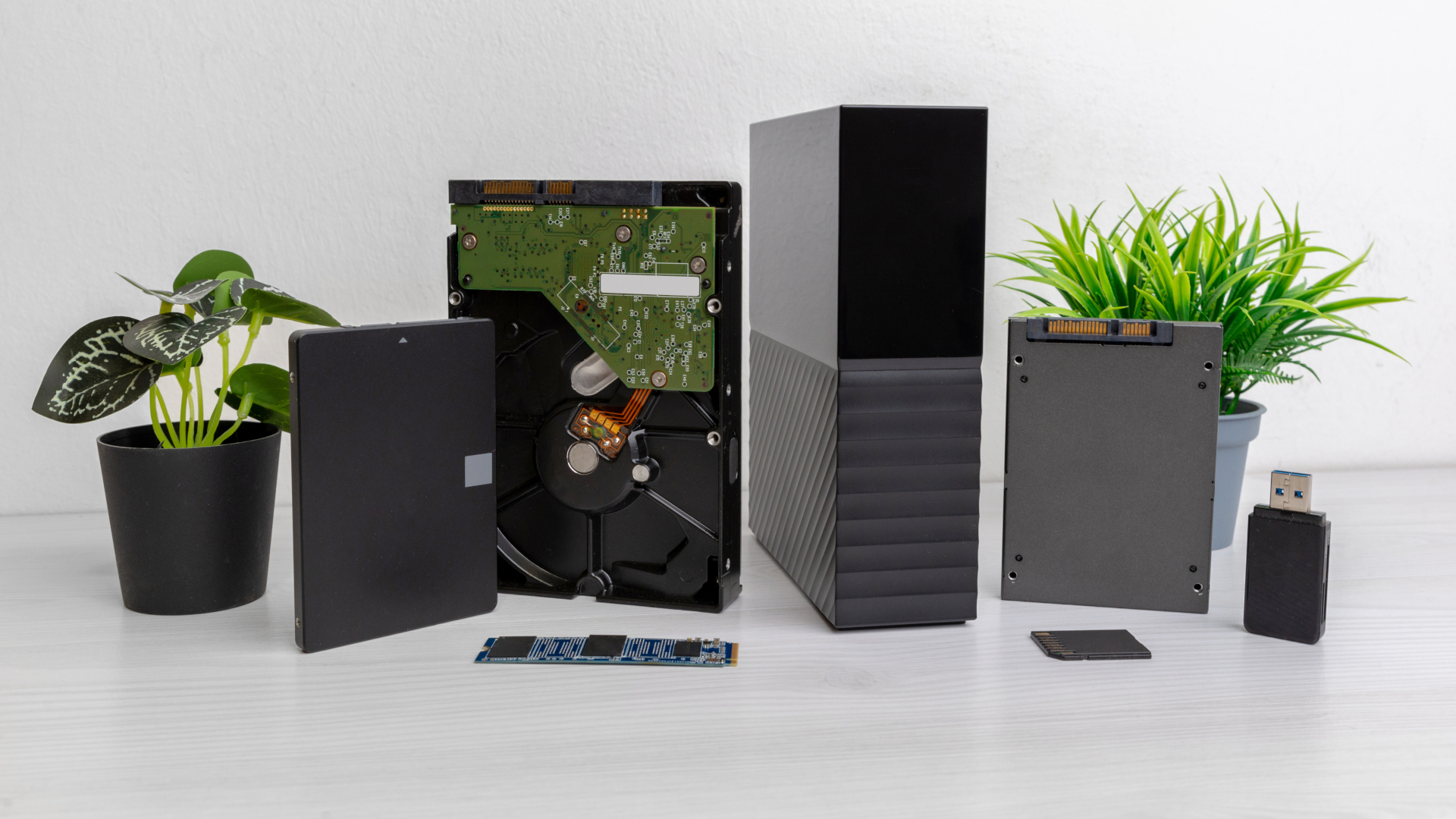

Block, file, and object storage — and the HDDs, SSDs, and NVMe underneath them
18 Sep 2026, by Micron21
If you’ve ever gone shopping for “storage” for your business, you’ve probably noticed something a little odd – the word gets thrown around as though it’s one single thing. You need somewhere to keep your data, so you go looking for storage, and you’re presented with a bewildering list of options, acronyms, and price points that all claim to do the job. So which one do you actually need?
The amount of data that businesses are generating and holding onto is only ever growing – whether that’s from the day-to-day running of your systems, the ever-increasing size of backups you need to retain, or the enormous datasets now being used to train and run the AI workloads we covered in our What is GPU Compute? article. With that growth comes cost, and choosing the wrong type of storage can mean either paying far too much for performance you’ll never use, or – far worse – crippling an important application by putting it on storage that simply can’t keep up.
Here at Micron21, we’re a holistic provider, which means we help our clients with the whole picture – from our clustered cloud storage (mSAN) and dedicated storage servers, right through to secure offsite backups. That’s why this month we thought we’d clear up the confusion once and for all. We’ll be covering the two questions that actually sit behind the word “storage”, so that by the end you’ll be able to work out what’s right for your own workloads.
Storage is really two questions, not one
The reason storage can feel so confusing is that people tend to mix up two completely separate decisions and treat them as though they’re the same thing, but they aren’t.
The first question is how your storage is organised and presented to your systems – this is the storage architecture, and it’s where terms like “block”, “file”, and “object” come in. The second question is what your data physically lives on – the actual drives inside the machine and the way they connect to it, which is where terms like “HDD”, “SSD”, “SATA”, and “NVMe” come in.
The important thing to understand is that these two questions are largely independent of one another. You can have fast block storage or slow block storage; you can have object storage sitting on spinning disks or on flash. Getting them straight in your head is the first step to making a good decision – so let’s start with the architecture.
What is block storage?
Block storage is the most fundamental of the three, and it’s the way the disk inside your laptop or desktop works underneath everything else. With block storage, your available capacity is carved up into fixed-size chunks called “blocks”, and a collection of those blocks is then presented to your system as a single volume – which, as far as your server is concerned, looks and behaves exactly like a raw, blank disk.
What makes block storage powerful is that it doesn’t impose any structure of its own. Your operating system sees the volume as a disk, formats it with whatever file system it likes, and takes full control from there. This makes it extremely fast and flexible, as the system is able to read and write individual blocks directly without needing to go through anything in between. It’s this speed and low latency that makes block storage the go-to choice for anything performance-sensitive.
- Virtual machines – the virtual disks that your cloud servers and VPSs run on are block storage.
- Databases – which need fast, consistent, low-latency access to read and write small pieces of data very frequently.
- Boot volumes and operating systems – anywhere a system needs a “disk” to install onto and run from.
The trade-off is that block storage, on its own, isn’t designed to be easily shared between many different systems at once, and it doesn’t come with any built-in understanding of your data – it just stores and retrieves blocks.
It’s worth pointing out here that the three architectures aren’t really three competing products sitting side by side – they’re more like layers. Block storage is the raw foundation, and the file and object storage we’re about to cover are generally built on top of it, each adding its own way of organising and accessing what’s underneath. So the question isn’t so much “which one is best?” as “at which level do I want to be working?
What is file storage?
File storage is the type most people picture when they think about saving a document – it’s the familiar world of files and folders arranged in a hierarchy. Rather than handing your system a blank disk to do with as it pleases, file storage organises everything into a structured tree of directories, and you access your data by its path and name.
A good way to think about it is like a well-organised filing cabinet. Every document has a folder it belongs in, those folders sit inside larger drawers, and as long as you know the path to what you’re after, you can go and retrieve it. This structure is intuitive for people, which is exactly why it’s so widely used.
The real strength of file storage is sharing. Because the structure is built-in and understood by everyone accessing it, the same file storage can be presented to many different users and systems at once over the network – using protocols such as NFS or SMB.
- Shared network drives – the classic “H: drive” that a whole team saves to and works from.
- User home directories and departmental file shares – where structure and permissions matter.
- Application data that needs to be accessed by more than one server – such as a shared repository of documents or media.
The trade-off with file storage is that, as the number of files climbs into the many millions, all of that hierarchy and structure starts to become a burden of its own. Navigating and managing an enormous, deeply nested tree becomes slow and unwieldy – which is exactly the problem that our final architecture was designed to solve.
What is object storage?
Object storage takes a completely different approach. Instead of blocks or a folder hierarchy, your data is stored as self-contained “objects”, and each object bundles together three things: the data itself, a set of metadata that describes it, and a unique identifier that’s used to retrieve it. Rather than being arranged in a tree, all of these objects sit together in a single, flat address space.
If file storage is a filing cabinet, then object storage is more like the valet parking at a hotel. You don’t need to know where your car is parked, what level it’s on, or which space it’s in – you simply hand it over, receive a ticket, and when you want it back you present the ticket and it’s retrieved for you. You interact with the “what”, not the “where”.
Because there’s no hierarchy to navigate, object storage scales almost without limit, and it’s able to do so while storing rich metadata about every single object. It’s typically accessed over HTTP using an API – the most well-known being the S3 API – rather than being mounted like a traditional drive.
- Backups and archives – where you’re storing very large volumes of data that you rarely need to change.
- Unstructured data – such as images, video, audio, logs, and documents.
- AI and analytics datasets – the enormous collections of data used to train and run modern AI workloads.
- Static content for websites and applications – served directly to users at scale.
The trade-off is latency. Object storage is built for scale and durability rather than the rapid, small read-and-write operations that a database or operating system demands – so you wouldn’t run a VM or a transactional database directly on it. It’s the right tool for storing vast amounts of data cheaply and reliably, not for high-frequency, performance-critical work.
The other half of the equation – the drives themselves
Now that we’ve covered how storage is presented, let’s talk about what it physically lives on. This is where the choice of drive comes in, and it has an enormous impact on both the performance and the cost of your storage – regardless of which architecture sits on top of it.
Here we need to make the same distinction we made at the start, because the terms you’ll see on a spec sheet are actually describing two different things. Some of them tell you what the drive is physically made of, and others tell you how that drive connects to the rest of the system. Both affect speed, and mixing them up is where a lot of the confusion comes from.
First, the media – what the drive is actually made of:
- HDD (Hard Disk Drive) – the traditional “spinning disk”, which stores data magnetically on rotating platters read by a moving mechanical arm. Because there are physical moving parts involved, HDDs are slower and have higher latency than the alternative. Their advantage, however, is cost – they remain by far the cheapest option per terabyte, and they’re available in very large capacities. This makes them an excellent choice for bulk storage, backups, and archives, where sheer capacity matters more than speed.
- SSD (Solid State Drive) – flash-based storage with no moving parts whatsoever. With nothing physical to spin up or move into position, SSDs are dramatically faster than HDDs, offering far lower latency and far higher IOPS (the number of input/output operations they can handle per second). They cost more per terabyte than spinning disks, but for anything where responsiveness matters, they’re well worth it.
Second, the interface – how that drive connects to the system:
- SATA and SAS – the older, well-established interfaces, both originally designed back when spinning disks were all there was. They’re perfectly capable, and they’re still very commonly used for both HDDs and SSDs, but they were never built with the speed of flash in mind.
- NVMe (Non-Volatile Memory Express) – the modern interface designed specifically for flash storage. Rather than being held back by those older pathways, NVMe connects directly over the PCIe (Peripheral Component Interconnect Express) bus – the same high-speed pathway used by components like graphics cards. This unlocks enormous throughput and extremely low latency.
Putting the two together is what explains a term like “NVMe SSD”, which you’ll see used often – it simply means flash media on the fastest available connection. It also explains why a SATA SSD and an NVMe SSD can be built from much the same flash and still perform very differently. In practice, this gives you a fairly simple ladder to think about: HDDs for bulk capacity at the lowest cost, SATA or SAS SSDs for solid general-purpose performance, and NVMe SSDs for the most demanding workloads of all – high-transaction databases, latency-sensitive applications, and AI compute that needs to be fed data as fast as possible.
You don’t have to choose just one – the case for tiering
Reading all of the above, it might seem as though you’re being asked to pick a single winner. In reality, the smartest approach for most businesses isn’t to choose one type of drive at all – it’s to use the right one for the right data. This is known as storage tiering.
The idea is straightforward. Your “hot” data – the information your systems are actively and constantly using – lives on fast NVMe or SSD storage, where its performance can be felt every day. Meanwhile, your “cold” data – older files, completed projects, and long-term backups that are rarely touched – can sit on high-capacity HDD storage, where you benefit from the much lower cost per terabyte. You get the performance where it counts, without paying premium prices to store data that’s just sitting there.
The same logic applies across the architectures too. A typical business might run its virtual machines and databases on fast block storage, keep its shared team drives on file storage, and push its backups and archives out to object storage – all at the same time. There’s no single right answer, only the right combination for your particular mix of workloads.
How this maps to what we offer
Understanding all of this is one thing – but the real benefit is being able to match it to your own systems, and that’s where we can help. As a holistic Tier IV data centre here in Australia, we offer the full range so that you’re never forced to compromise:
- mSAN – Clustered Cloud Storage – the distributed, fault-tolerant storage cluster behind our mCloud platform, built along exactly the tiered lines described above. It ranges from economical bulk clusters for infrequently accessed or long-term data, right through to fast-performing NVMe clusters for your most demanding workloads. We’ve touched on this previously in our Benefit from High-Availability Public Cloud, Whilst Saving Money Using Your Own Hardware article.
- Storage Dedicated Servers – purpose-built for capacity, giving you a cost-effective home for large volumes of data on hardware dedicated entirely to you.
- mBackup – Secure Offsite Backup – for keeping protected, offsite copies of your data safe and recoverable.
And because all of it is housed within our own Tier IV facility on Australian soil, your data stays here – under Australian jurisdiction – rather than being scattered across offshore regions of the big hyperscalers. As we’ve discussed in our previous article on Data Sovereignty vs Data Localisation, for many organisations that’s not a nice-to-have but a genuine requirement.
Not sure which type of storage is right for you?
If you’re weighing up your options and aren’t sure whether you need block, file, or object storage – or which type of drive your workloads should live on – let us know!
We’re a holistic data centre, providing IT infrastructure solutions for all types and all business sizes, and we’re more than happy to have a chat and help you architect something that fits both your performance needs and your budget.
You can reach us on 1300 769 972 (Option #1) or via email at sales@micron21.com.
